
Automating Exits & Management
Opening a trade is only half the job. The other half is getting out at the right time. VolNinja can manage and close a position for you, so you don't have to watch the screen.
You do that by writing rules. A rule is a condition paired with an action: when the position is up 50%, close it. You write one list of rules, and VolNinja decides how each one is enforced.
- When a rule's exit can be expressed as a real order, VolNinja places that order at Interactive Brokers, where it rests and fires on its own — even if the app is closed or your machine is off. The rule shows standing at broker.
- When it can't, the rule is enforced by the app, which watches your positions and acts when the condition becomes true. The rule shows runs in app.
You never choose between the two, and you never author a broker order by hand. You describe the outcome you want; VolNinja gets each rule as close to the broker as it can and tells you where it landed.
What a rule can do
While a position is open, VolNinja evaluates its rules and performs the action when the conditions are met:
- Close Position — exit the position.
- Close Leg — take off a single leg (e.g. buy back the tested side of a strangle).
- Roll Leg — close a leg and reopen it at a new strike; see Rolling a leg.
Each closing action executes with an execution algo — a worked order that walks toward the market, or a market order. Because rules are condition-driven, they're how you express things like "take profit at 50%" or "stop out if the loss reaches the credit I took in." The conditions themselves (profit %, time, price, and more) use the shared editor explained in Rules and conditions.
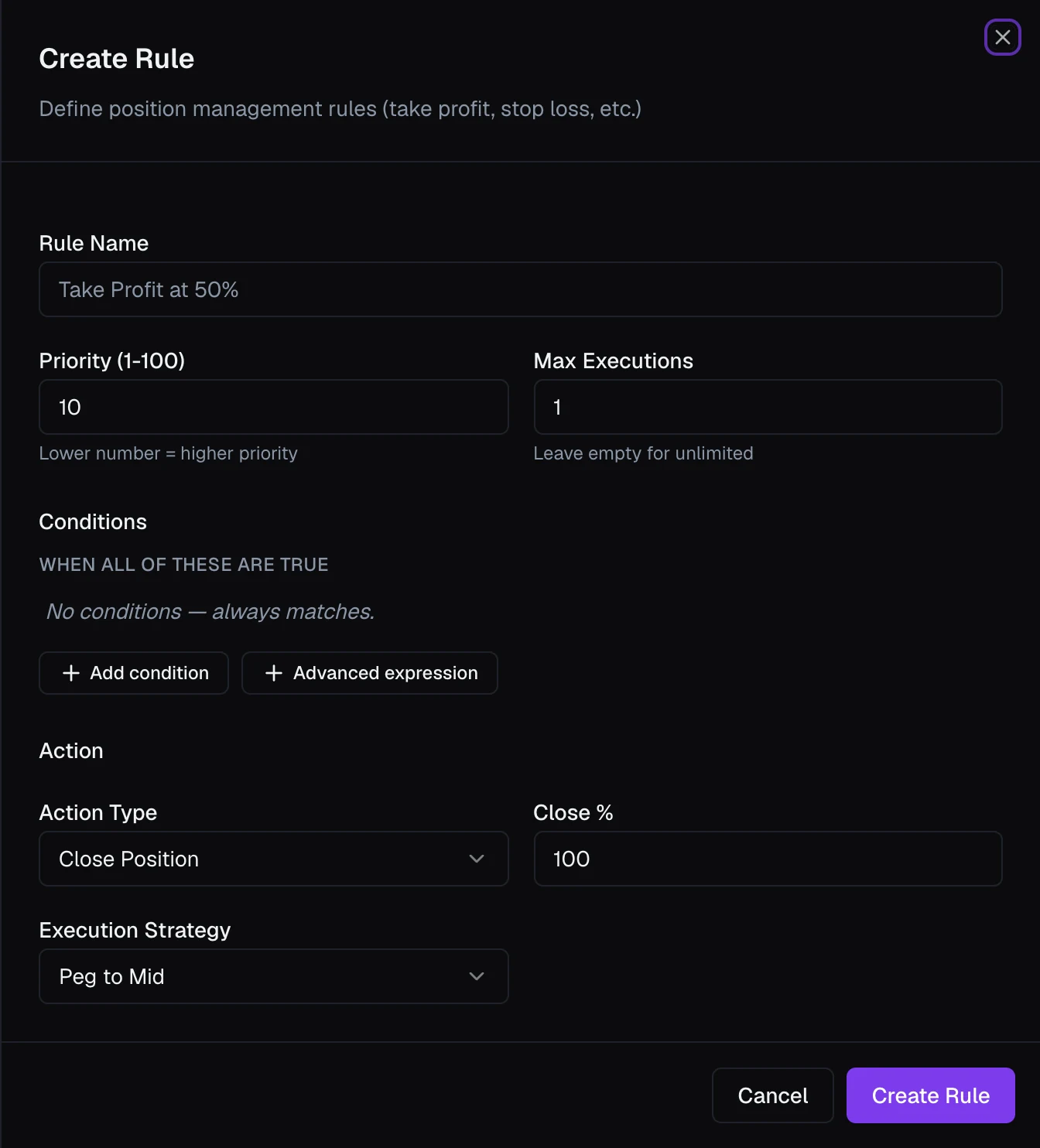
To take profit in stages, split the entry into tranches — two or more sub-positions opened by a single order and then managed independently, each with its own rules. See Management rules.
Why it matters where a rule runs
A rule standing at the broker is protection that does not depend on anything of yours staying awake. If your machine sleeps, your internet drops, or VolNinja is closed, that stop is still sitting at Interactive Brokers and still fires. This is the reason the distinction is worth a badge.
A rule that runs in the app is not weaker in what it can express — it is usually there precisely because it expresses something a resting order can't, such as a condition on time of day, or an exit that depends on more than one price at once. It simply needs VolNinja to be running.
Important
A rule that shows runs in app acts only while VolNinja is running. If the app or your machine is offline, it cannot fire. A rule that shows standing at broker is unaffected.
When both are in play on the same position, they cooperate rather than compete. While VolNinja is running it handles a triggered exit itself, working the order with your execution algo, which may get a better fill. The resting broker order sits behind it as the backstop. Only one of them can ever close the position: the broker links a position's resting exits so that when one fills, the others are cancelled.
Protection keeps standing through extended hours, so an overnight move is covered. When no session is open at all — the gap between sessions, a weekend, a holiday — a stop comes back to the app until the next session opens, and its badge reads runs in app · until regular hours. That costs you nothing, since nothing can trade in the meantime.
Where a rule can't rest
A resting order watches one price level and does one thing when it's reached. A rule that doesn't reduce to that runs in the app instead, and VolNinja says so on the badge rather than failing quietly: it keeps the state and adds the reason after a dot — runs in app · no price to rest at (you set no P&L target, as on a purely time-based exit), · another position already holds this contract's order slot, · the broker refused it. Rolling a leg is app-side by nature — the destination strike is chosen against the market at the moment it fires, so a resting order would freeze a stale choice.
Two things are worth knowing before you write rules, because they're the difference between protection that survives an outage and protection that doesn't:
- What rests is a rule's P&L target — a profit or loss level you set as a field on the rule. One target, one order. A take-profit and a stop are therefore two rules, and the broker cancels one when the other fills.
- Conditions don't set the level; they decide when the order is allowed to stand. So a rule with a target and a time condition still rests — it just arms at that time. A rule with no target rests nothing, however its conditions are written.
Where rules run works through these cases with examples.
Where you want durable protection on a rule that can't rest, the pattern is to pair it — roll at your level, and put a stop slightly beyond it. If the app is alive, the roll happens first; if it isn't, the stop catches the trade.
Where you set rules
Rules live in two places:
- On a template, so every position it opens inherits them from the start; see Management rules.
- On a single open position, added or edited after the fact from its details; see Automating a position.
A strategy goes further: it opens and closes across templates on its own, rather than managing a single position. See Running a strategy.
For the mechanics of how a rule becomes a resting order, and what makes one come or go during the life of a trade, see Where rules run.
Warning
Automated exits place real orders. In LIVE mode they use real money, and a rule that stands at the broker goes there the moment the position opens. Prove your rules in Paper first, and never submit test orders while you are in live mode. See Paper vs live.