
Strategy Variables
Variables let a strategy remember values and share them: a running count of how many trades it has taken today, a flag that says "conditions are risk-off," or a live tally of your open positions. Once defined, a variable can be read (and, for the ones you own, written) inside a strategy's rules, so a rule can react to the strategy's own history and to the state of your book, not only to the market.
There are three kinds, and each is referenced in rules by its own prefix:
- Private —
my.<name>— belongs to a single strategy. - Global —
global.<name>— shared across every strategy. - Aggregate —
agg.<name>— a number computed live over your positions.
All three appear in the field picker alongside market and account fields when you build a condition, so using one is no different from using P&L or the underlying price. See Rules & Conditions.
Settings every variable shares
Private and global variables share the same settings:
- Type — number, string, or bool (true/false).
- Value — Set by actions (the default) or Calculated. A variable set by actions holds whatever a rule's Set variable action last wrote; a calculated one is worked out from a formula (see below).
- Reset daily automatically (set by actions only) — when ticked, the value returns to its default once each trading day, at the daily reset time in Settings → Trading. Unticked, it keeps its value until a rule changes it or you reset it. A daily counter is ticked; a long-lived flag is not.
- Default value (set by actions only) — the value it starts from.
Two more things apply everywhere:
- Paper and Live are separate. A variable holds an independent value for each account, so a counter in paper never affects the live value. The panels show the value for your current trading mode.
- Names are identifiers — letters, digits, and underscores only, and can't start with a digit.
Private variables (my.*)
Private variables live inside one strategy. Open a strategy (its name or the pencil on its card) and find the Private variables section; Add variable opens the editor.
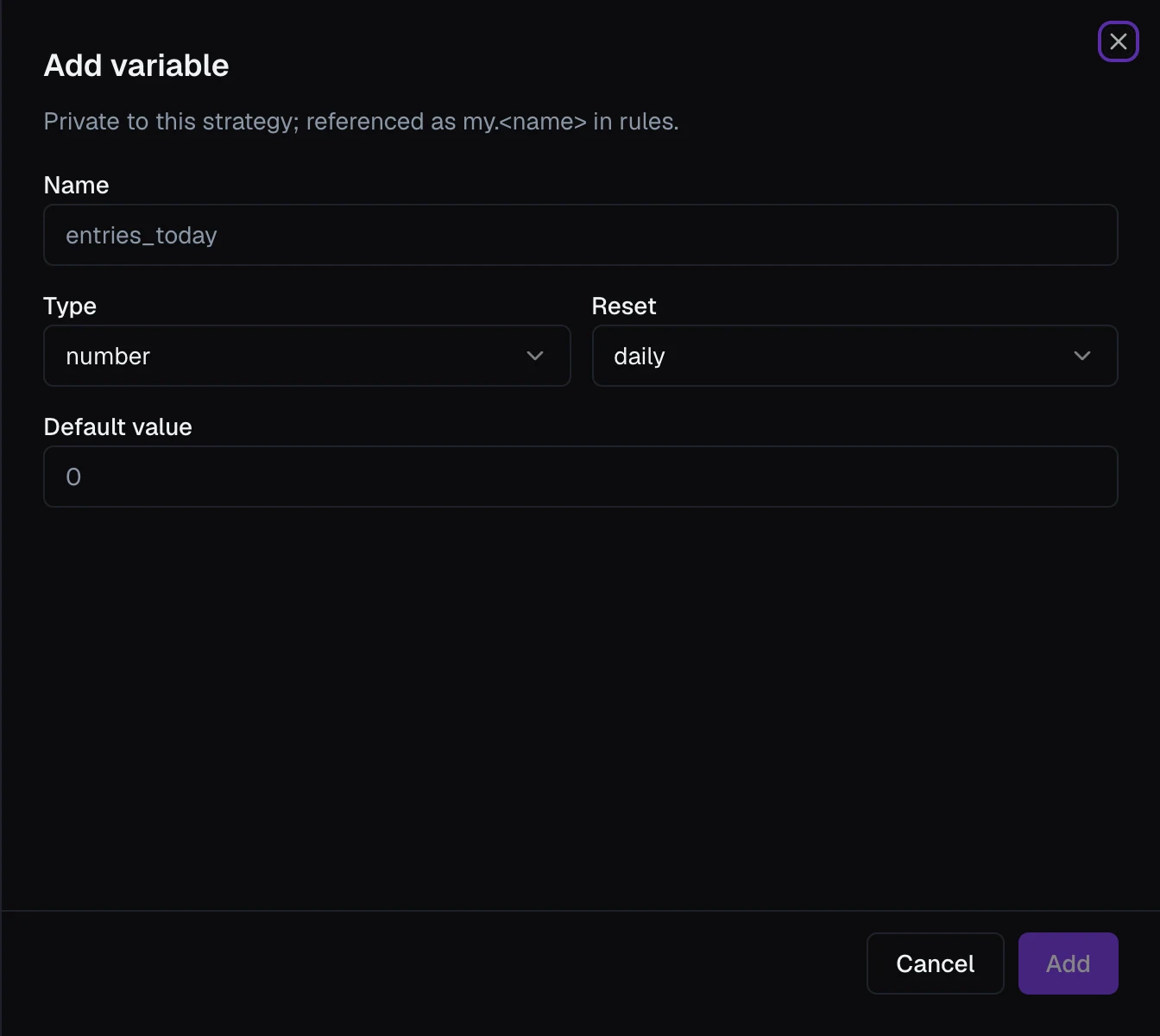
Give it a Name (referenced as my.<name>), a Type, and its Value settings. Each variable then appears as a row showing my.<name>, its type, a reset or calculated badge, and its current value for the active mode. Use these for anything a strategy tracks about itself: how many times it has entered today, whether it has already taken profit, a level it computed earlier.
Like everything else in the strategy sheet, a new or changed variable is saved when you click Save strategy.
To put a variable that's set by actions back to its default by hand, open the strategy's runtime view from the Dashboard's Strategies card (see Monitoring a Strategy) and use the Reset to default button next to its value. It resets the value for the mode you are in only. Global variables have the same button on the Global Variables tab. A calculated variable has no reset button; its value always comes from its formula.
Calculated variables
Choose Calculated and, instead of a default, you give the variable a formula that VolNinja works out again on every rule check (every second by default; see Settings). A string variable can't be calculated, so the button is unavailable for it.
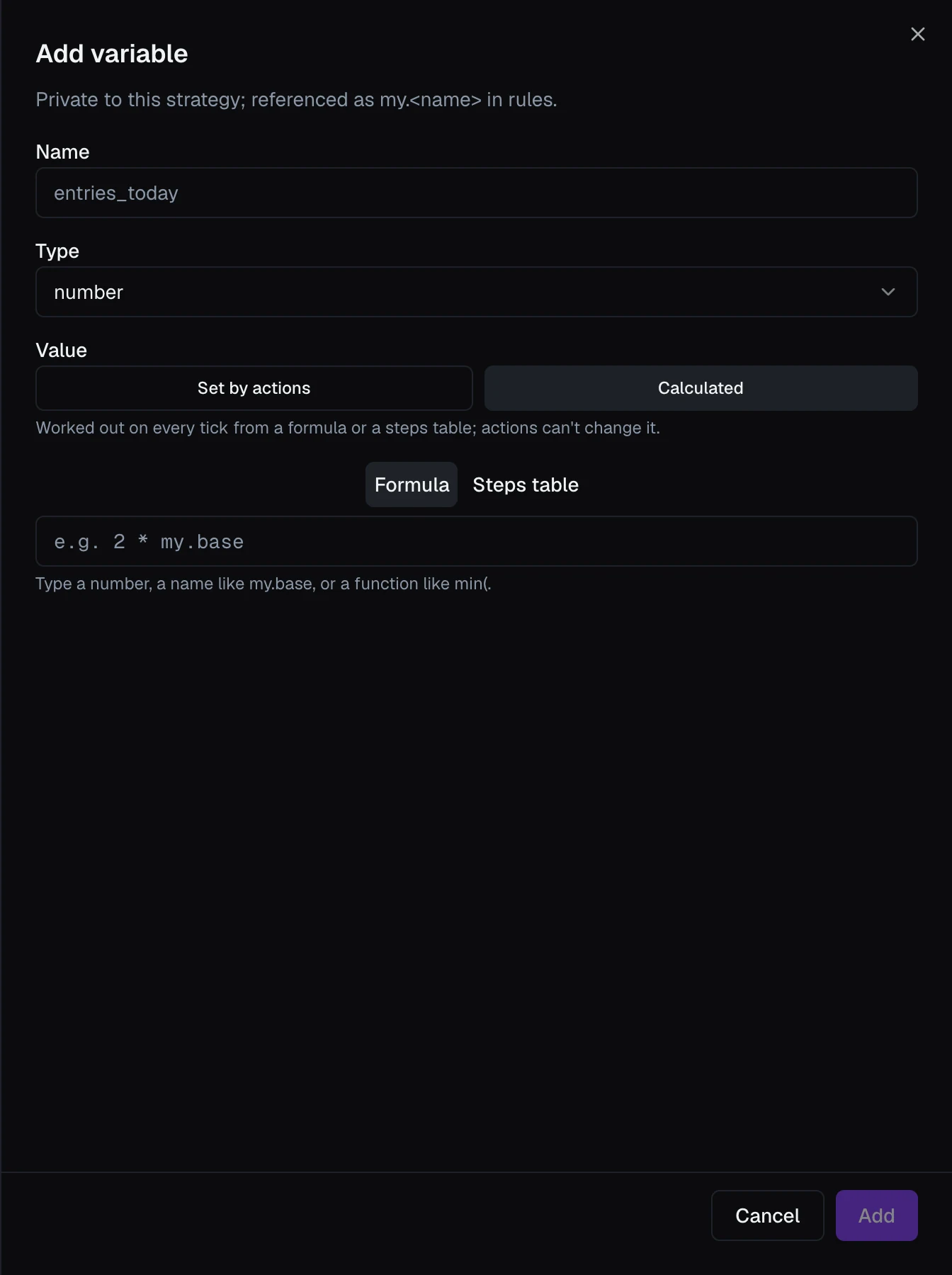
- A number variable offers Formula | Steps table. Formula is the typed formula box: field and variable names,
+ - * /, brackets, and the functionsabs,min,max, andround, with completion as you type and a plain-language check underneath. Steps table builds the value from a steps table instead. A fresh variable starts with an empty box. - A bool variable's formula is a set of conditions, built in the same conditions list every rule uses.
Use a calculated variable to name something once and read it from several rules instead of repeating the same logic in each one: a gate (my.entry_ok), a size (my.size), a cap that rises through the morning.
A private calculated variable can read any field, any variable set by actions, and any calculated variable listed above it in the panel. Two things are refused when you save: reading a calculated variable listed below it (or itself), so move it up the list first; and reading a variable that doesn't exist, whether a typo or one you've since deleted.
A calculated variable can't be set by a rule's Set variable action, and it can't be reset by hand. If anything its formula depends on is unknown, or the formula itself is broken, the variable reads as unknown rather than as zero or false, so a rule comparing against it simply waits.
Global variables (global.*)
Every strategy can read and write a global variable. They live on their own tab rather than inside one strategy: open Automation → Strategies and choose the Global Variables tab, then Add variable.

They carry the same Type, Value, Reset daily automatically, and Default value settings and are referenced as global.<name>. Unlike private variables, each one is saved as soon as you click Add or Save in its editor. Use a global when strategies need to coordinate: one sets a shared regime flag and the others read it, or several draw down a shared daily budget.
A global can be Calculated too, and its value then shows on the tab live. Because it belongs to no single strategy, its formula can read only what every strategy sees the same way: the time, account, and portfolio fields, each underlying by symbol, and other global variables (any set by actions, and calculated ones created before it). It can't read a strategy's own fields, its my.* variables, or aggregates. See the Condition Field Reference.
Aggregates (agg.*)
An aggregate is a live number computed over your positions, such as how many of my open positions are up more than 10%. Aggregates live inside a strategy, in the Aggregates section; Add aggregate opens the editor.
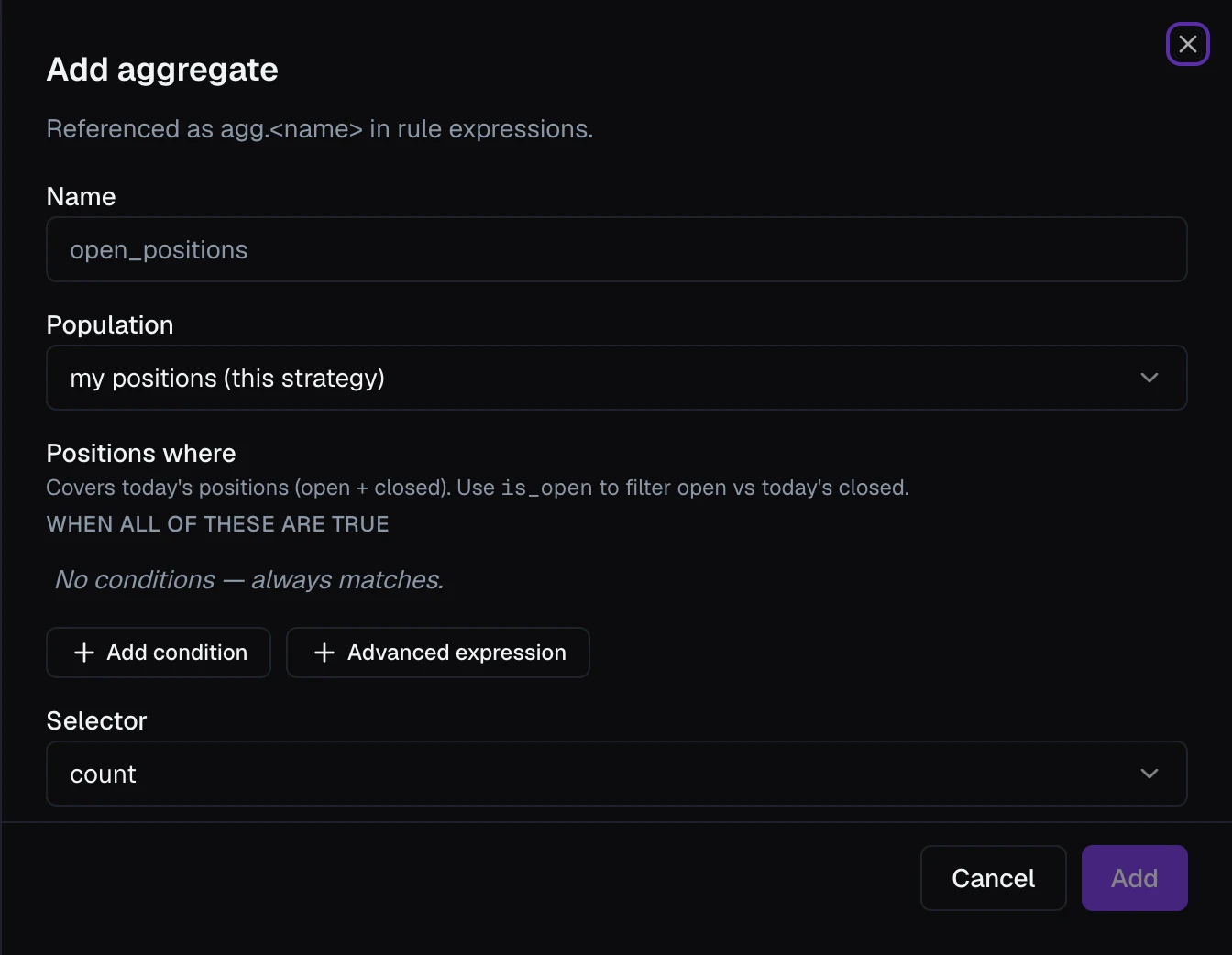
You define an aggregate in four parts:
- Name — referenced as
agg.<name>. - Population — my positions (this strategy) or all positions (portfolio-wide).
- Positions where — conditions that narrow which positions count, built with the shared conditions list using the position filter fields. It covers today's positions, open and closed; filter on Is Open to separate the two. An empty list counts them all.
- Selector — what to compute: count, sum, min, max, last, or first. Everything except count also needs a Field to compute over (sum of P&L, max of delta, and so on).
The editor shows a plain-language summary of each definition ("count of my positions where …"), so you can read back exactly what it measures. Unlike the other two kinds, an aggregate is read-only: always computed, never set. Its value is worked out only while the strategy is running.
Reading and setting variables in rules
- Reading — pick
my.*,global.*, oragg.*from the field catalog in any condition, and compare it like any other value (see Rules & Conditions). A variable can also be compared to a fixed yes/no or text value, such asglobal.regime = "risk_off". - Setting — a rule's Set variable action updates a
my.*orglobal.*variable that's set by actions when the rule fires: incrementing a counter, flipping a flag. See Strategy Rules. Calculated variables and aggregates are never set this way; they work themselves out.
Removing a variable
Each row has a delete control. VolNinja won't let you remove a variable that something still reads: a rule's condition, an Execute template Multiplier, a Set variable action, or a calculated variable's formula.
- Private — the row disappears from the sheet, but Save strategy is refused and names what still references it (for a rule, the toast reads Undeclared variables). Declare the variable again or remove the references, then save.
- Global — the delete is refused straight away with a message listing the rules and calculated variables that use it. Remove those references first.