
Template Legs
The legs of a template are the options it trades, one leg per contract you buy or sell. A short strangle has two (a short call and a short put); a vertical spread has two (one bought, one sold); a single-option template has one. You define them in the Combo Legs section of the template editor: choose Add Leg to open the leg form, and repeat for each leg. (For the template built around them, see Building a template.)
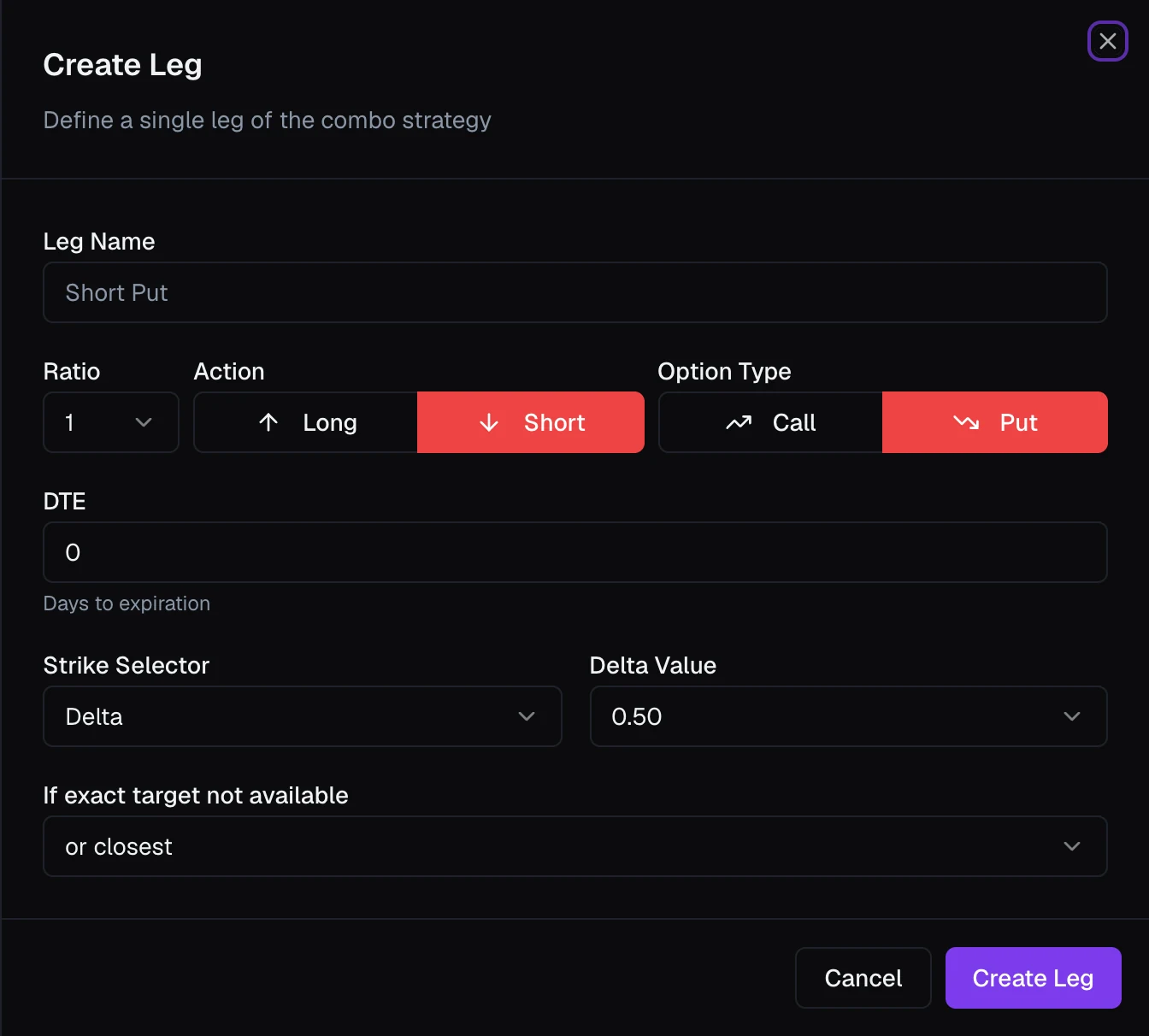
Direction, type, and size
Each leg starts with four choices:
- Leg Name — a label for this leg (e.g. "Short Put"), so it reads clearly in the template and in any rules that reference it.
- Action — Long (you buy the option) or Short (you sell it).
- Option Type — Call or Put.
- Ratio — this leg's size relative to the others. Equal ratios (1 and 1) form a balanced spread; unequal ratios (1 and 2) form a ratio spread. When you run the template, its overall quantity multiplies these.
Expiration
DTE is the leg's days to expiration. VolNinja trades 0DTE today, so this is 0 (same-day expiration); support for longer-dated legs is on the way.
Choosing the strike
A leg picks its strike when the template runs, using a Strike Selector, instead of carrying a fixed strike number. The same template then works wherever the market is trading that day. Pick how the strike is chosen, then the target value beside it:
- Delta — the option's delta (e.g.
0.10for a 10-delta strike). Targets consistent risk/probability regardless of price level. - Premium — a target option price (e.g.
$10). Targets consistent premium collected or paid. - Offset (strikes from ATM) — a number of strikes from at-the-money (
ATM,+5 strikes,-5 strikes). - % OTM — a percentage out-of-the-money from the current price.
The label next to the selector (Delta Value, Premium Amount, Strikes from ATM, % OTM) changes to match your choice.
Tip
Selecting by Delta is the most common choice for 0DTE: it keeps a leg at the same risk level every day, wherever SPX is trading, without you touching the strike.
When the exact target isn't available
Because strikes come in fixed increments, your exact target may not exist. If exact target not available decides what to do: or closest (nearest strike either way), or closest above, or or closest below.
Premium price type
When the selector is Premium, a Price Type appears. Pick the quote your target is matched against: Mid (the default), Bid (sell at market), or Ask (buy at market).
Building a multi-leg combo
Save with Create Leg and the leg appears in the template's Combo Legs list, where you can edit or remove it. Add more legs the same way to build the full combo. The template treats them as one order and works them into the market together. Entry execution covers how that order is placed and retried. The built-in entry algos re-pick every leg's strike on each attempt, so the order follows the market; to keep the strikes from the first attempt instead, use a custom entry algo with Lock strikes after the first attempt turned on (see Execution algos).