
Monitoring a Strategy
Once a strategy is built (see Strategy Rules and Strategy Variables), this is where you watch it work: switching it on and off from the Dashboard, reading its live state and variable values, and following every rule firing with the reason it fired.
The Dashboard's Strategies card
Your Dashboard has a collapsible Strategies card. Its header shows how many strategies are running in your current trading mode (N running); expand it to see each strategy with a run switch.

The switch here acts on your current mode only: if you're viewing paper, it starts and pauses the strategy in paper and leaves live alone. Paused strategies are dimmed. Click a strategy's name to open its runtime view.
To switch a strategy on in the other mode, use the Paper and Live switches on its card on the Strategies page (see Strategies Overview).
The runtime view
The runtime sheet, labelled Runtime status and controls, is a read-only view, separate from the sheet where you edit the strategy. It has three tabs, Information, Rules, and Events, and it updates live while it's open. Everything in it is for the mode you're currently viewing.
Information — live status and values
The Information tab opens on a Status card: the strategy's description, its priority grade (for example Normal priority), whether Paper and Live are on or off, and a switch that runs or pauses it in your current mode (Running in paper / Paused in paper).
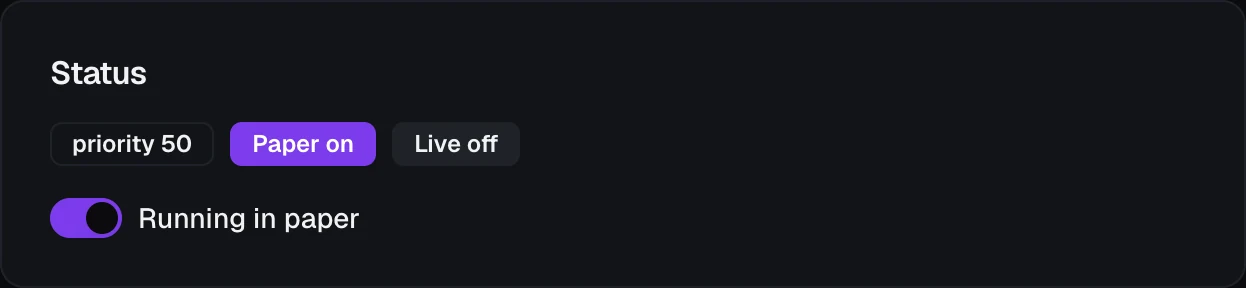
Below the status, the tab lists the strategy's values for the current mode:
- Private variables — each
my.*variable that's set by actions, with its current value and a Reset to default button. Resetting asks you to confirm, changes only the current mode, and rules see the new value on their next check. - Calculated variables — each calculated variable with its live value. These have no reset button, since their value always comes from their formula.
- Aggregates — each
agg.*value, with its selector and population.
Calculated variables and aggregates are worked out only while the strategy is running, so they read — while it's paused.
Rules — what it's watching for
The Rules tab lists the strategy's rules as the editor groups them (Entry / Exit / Other), read-only: each card shows its priority grade, how many times it has fired today in your current mode, its log only or off badge if it has one, and pending while an action is in flight. To pause, change, or delete a rule, open the strategy from the Strategies page and save the change; see Strategy Rules.
Events — this strategy's firings
The Events tab is the event feed below, narrowed to this one strategy.
The event feed
Every time a rule fires, VolNinja records it as one firing: what made it fire, what it did, and how that turned out. You can read the feed in two places: the runtime view's Events tab for one strategy, and the Event Log tab on the Strategies page for all of them.

The feed always follows the trading mode you're viewing: in paper you see paper firings, in live you see live ones. There is deliberately no separate mode filter, so a paper fill can never be read as a live one.
Reading a firing
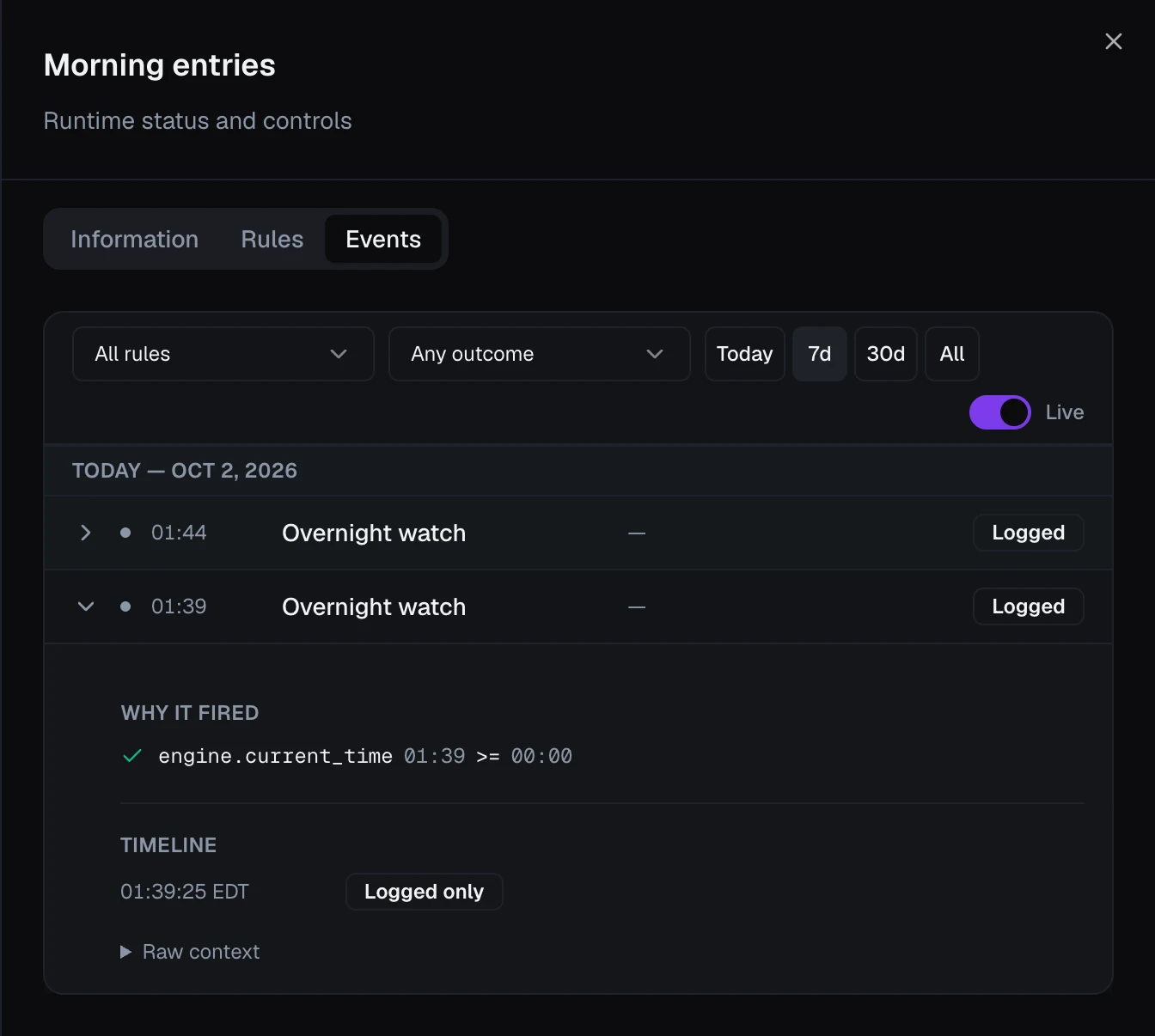
Firings are grouped by day, newest first. Each row shows the time, the strategy (in the account-wide log), the rule, a short summary of what the action did, the fill price when there was one, and a status:
| Status | Meaning |
|---|---|
| Filled | The firing's actions completed. |
| Failed | An action failed. A firing with one failed action out of several counts as failed. |
| Abandoned | The rule's conditions stopped holding before its actions took effect. It doesn't count toward Max / day and starts no cooldown. |
| In progress | An action has been sent and its outcome isn't in yet. |
| Logged | A Log only rule whose conditions came true; nothing was done. |
| Stalled | The rule couldn't be checked because a field it reads has no value yet, such as missing market data. |
| No outcome recorded | An older firing whose result was never recorded. |
Click a row to expand it:
- Why it fired — every condition the rule read, with the values it saw at that moment.
- Timeline — each step of the firing in order, from triggered to completed (or failed, or abandoned).
- Raw context — the full set of values the rule saw, for when you need every detail.
Filtering
The bar above the feed narrows it:
- Strategy (account-wide log only) and Rule.
- Outcome: any status above. In progress / no outcome covers both, since an old firing and one still running look the same until it's old.
- Today, 7d, 30d, or All.
- Live — on, the feed refreshes by itself. While you page back with Load more, it holds still and says paused while viewing older firings.
Tip
Pair the feed with a rule's Log only setting (see Strategy Rules). A log-only rule shows up here as Logged every time its conditions come true, without acting, and Why it fired shows exactly what it saw. Prove a new rule fires when you intend before you let it trade, and rehearse in Paper first (see Paper vs live).